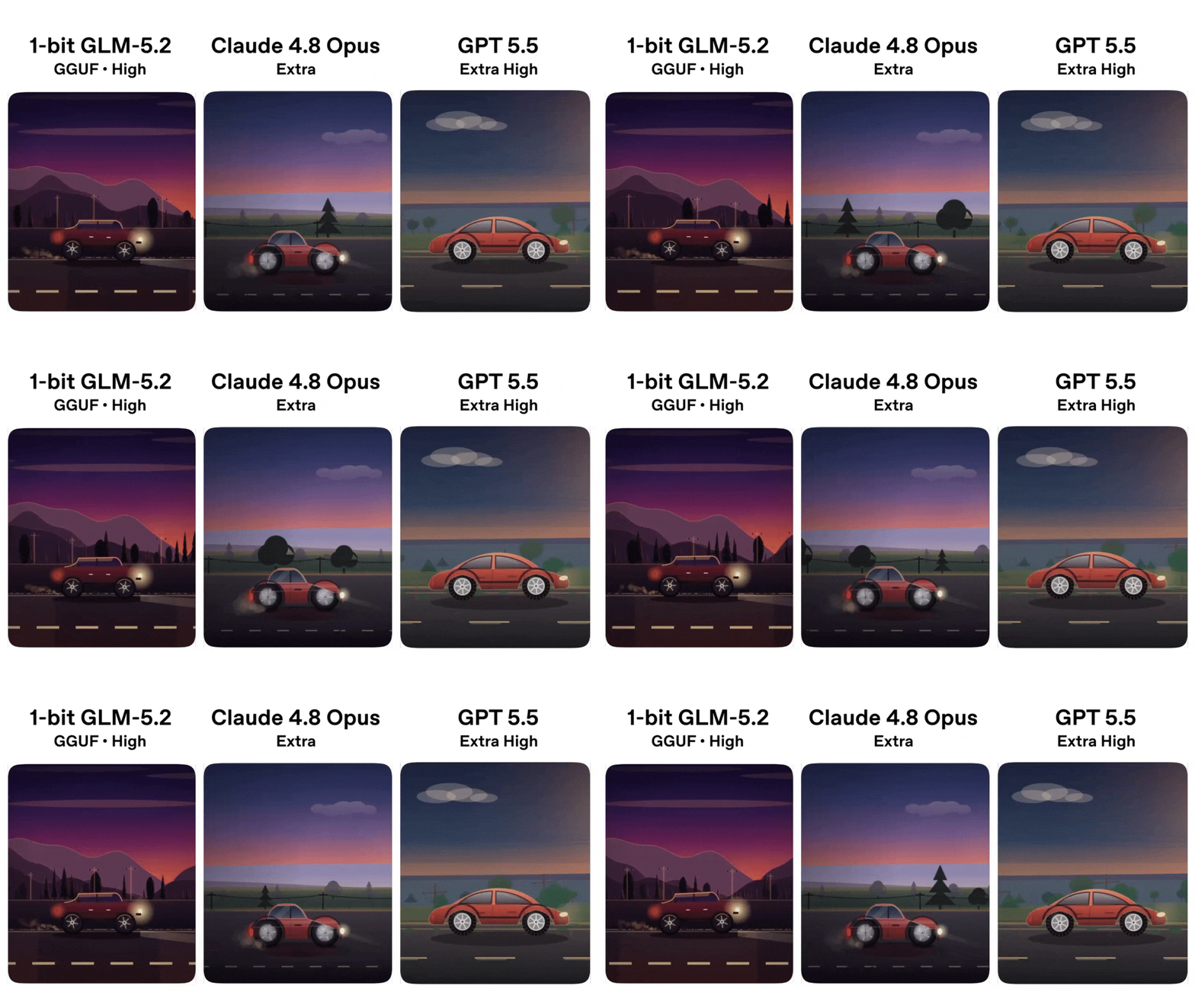
A 1-bit GLM-5.2 GGUF ran on a 256GB Mac Studio M3 Ultra and held its own against GPT-5.5 and Claude Opus 4.8.
Three models, one workstation, no API calls — and the smallest of them kept up.
If you build with LLMs, the implication is worth sitting with. Local-first AI no longer means “good enough for chat, weak at real work.” The 1-bit GGUF is not a stunt demo. It is a working checkpoint you can pull today and serve from your own machine.
The test that made people pay attention
Daniel Hanchen from Unsloth posted the same prompt to GLM-5.2, Claude Opus 4.8, and GPT-5.5. The prompt itself was deliberately hard: build a technically impressive Backrooms horror game in a single self-contained HTML file, with a raycaster, procedural textures, infinite chunks, dynamic lighting, Web Audio, and a long list of psychological-horror behaviors. Not the kind of thing a one-shot would normally nail.
The point of the exercise, in Hanchen’s own framing, was not to crown a winner. The point was to show that 1-bit can actually perform well. The 1-bit GLM-5.2 GGUF ran at roughly 21.6 tokens per second on the Mac Studio, fast enough that one-shot felt like a normal chat session, not a wait. A side-by-side showcase video came out of the test too — generated, notably, by the Q4 model itself, running inside the Pi Coding Agent, with Puppeteer capturing frames, labels, and ffmpeg encoding the result end to end. The test produced its own documentary.
Why 1-bit is suddenly viable
A 1-bit model sounds like a contradiction. If each weight is one bit, the model is basically a lookup table. In practice, modern 1-bit and sub-1-bit quantization (Unsloth’s dynamic GGUF variants, QuIP# and related techniques) pack two weights per bit and rely on lookup-table decoders that fit neatly on Apple Silicon and modern GPUs. The math is real, and the calibration data matters a lot.
The other half of the story is hardware. Apple Silicon’s unified memory lets a 256GB Mac Studio hold a model that would otherwise need a server with multiple GPUs. When the model lives in unified memory and the quant is small enough, the bottleneck is no longer VRAM, it is memory bandwidth — and that is where M3 Ultra is genuinely fast.
So the 1-bit result is not a free lunch. It is the intersection of a specific quantization recipe, a specific architecture, and a specific workstation. But that intersection is now reachable for an individual developer, not just a research lab.
Where extreme quantization still breaks
A commenter in the same thread ran UD-Q2_K_XL against UD-Q4_K_M on the same game-dev prompt. Q2’s token usage was substantially higher than Q4’s, and on that particular test the Q2 output was slower and visibly broken. Smaller quant does not always mean “smaller and better.” Below a certain point, the model starts rambling, losing structure, or duplicating tokens to compensate for the lost precision.
This is the local-first tradeoff in one screenshot: every halving of the bit width is a coin flip. Q4 and Q5 are usually safe for instruction following. Q3 is where you start watching carefully. Q2 is research-grade — sometimes it surprises you, often it does not. The 1-bit result above is impressive, but it is also the best case the team chose to publish. Treat the lower bounds with the same respect you would give a benchmark from a paper that did not show variance.
What this means for the cost of inference
If a $5,000 Mac Studio can run a 1-bit GLM-5.2 at 21 tok/s and hold its own against two of the most expensive closed models on the planet, the per-token economics of “good enough” work just changed. You do not need to call an API for every refactor, every docstring, every test scaffold. You can run a long context on your own desk, pay nothing per token, and keep the data on the device.
That does not put OpenAI or Anthropic out of business. The frontier keeps moving, and the hardest tasks still benefit from the biggest models. But the floor — the layer of work that used to be “too expensive to use an API for but too important to skip” — is now a local inference problem. For a lot of teams, that is a bigger shift than the next flagship model.
FAQ
What is 1-bit LLM quantization?
1-bit quantization stores each weight using roughly one bit, usually by pairing two weights per bit and decoding them with a lookup table at runtime. Modern 1-bit GGUFs (Unsloth’s UD-Q2_K_XL, QuIP#-style variants) use calibration data to choose which weights to pack together, which is why the resulting model can still follow long instructions.
Can a 1-bit model really match GPT-5.5 and Claude Opus?
In Unsloth’s side-by-side, yes — on the one-shot prompt the team chose, the 1-bit GLM-5.2 was judged comparable to both frontier models. That is one test on one prompt, not a general claim. For most coding and writing tasks, expect a real quality gap; for short, well-scoped tasks, the gap can be small.
What hardware do I need to run 1-bit GLM-5.2 locally?
Unsloth’s 1-bit GGUF ran at about 21.6 tok/s on a Mac Studio M3 Ultra with 256GB of unified memory. Lighter quants like UD-Q4_K_M run on a wide range of Apple Silicon Macs and on most modern CUDA GPUs — the Unsloth docs list the exact memory requirement for each variant. The llama.cpp install is one curl line; Ollama, LM Studio, and Unsloth Studio all wrap the same backend.
How does 1-bit compare to 4-bit or 8-bit quantization?
4-bit and 5-bit GGUFs are the practical sweet spot for most production use: small enough to fit on consumer hardware, accurate enough to trust. 8-bit is closer to lossless and rarely worth the size. 1-bit and 2-bit are extreme: blazingly fast and small, but the failure mode is silent — the model runs fine, it just hallucinates more.
Is 1-bit the future of local AI?
I would not bet on 1-bit as the steady state — Q4 and Q5 will keep doing most of the work for a while. But the fact that 1-bit is now a credible option on a single workstation tells you where the curve is going. Every six months, the smallest quant that “actually works” gets smaller.
Try it on your machine tonight
Pull the 1-bit GLM-5.2 GGUF, serve it with llama.cpp or Unsloth Studio, and run the same Backrooms prompt yourself. Twenty minutes of setup, zero API spend, and you will have a first-hand answer to the only question that matters: does it actually work for you?

No comments :
Post a Comment